I'm writing this from our ship, the Villa Vie Odyssey, somewhere in Indonesia. See photos in this photo album: Australia/New Zealand - we're just completing that segment of our world travels. Next week, we will have been living on board for 1 Year. We will celebrate our "VillaVersary" with a special episode of our YouTube show. Watch for the announcement of Episode 320.
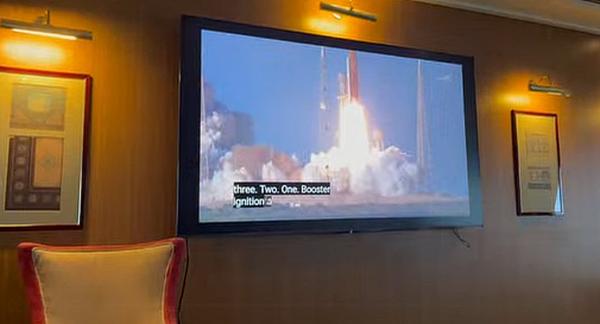
This week's tip is about Space Missions and music playlists. We loved wtching the the Artemis II moon mission from our ship. We were able to watch the launch as
well as the splashdown with a group of other space enthusiasts on board. It was playing on a big screen TV in the ship's lounge.
Did you know that the space program has a tradition of creating a music playlist. Here's how you can play their playlist on YouTube Music.
Open YouTube Music: Head to music.youtube.com or open the app on your phone.
Search: Tap the magnifying glass and type NASA Artemis II Moon Tunes.
Filter for "Playlists": YouTube Music will show you songs and albums first.
Look for the "Playlists" tab at the top of the search results and tap it. The official playlist is only available on Spotify, but many people in the YouTube community have created the same list in YouTube music.
Save to Library: Once you find the playlist, tap the "Add to Library" icon (it looks like a plus sign or a bookmark). This makes it easy to find later under
your "Library" tab!
Once you find a specific playlist like this, you might want to customize it with your own 'space music' selections. You can make your own playlists in both YouTube and YouTube music.